
Yann Büchau :nixos: · @nobodyinperson
263 followers · 1126 posts · Server fosstodon.org@pmidden Exactly, you need privileges to do privileged stuff in your containers, that's the design principle in #Apptainer.
Yann Büchau :nixos: · @nobodyinperson
264 followers · 1123 posts · Server fosstodon.orgHowever, a :nixos: #nixshell for "quickly give me :docker: #Docker for a minute" is not possible, right?
In this case #Apptainer is a cool alternative: no root or daemon required to run software from containers.
Yann Büchau :python: · @nobodyinperson
229 followers · 975 posts · Server fosstodon.orgUpdate on me trying to use :nixos: #nix on an old 32-bit :raspberrypi: #raspbian
After days of compilation, it couldn't build neither #Apptainer (some lib nvidia container something failure) nor :gitAnnex: #gitAnnex (GHC :haskell: #Haskell doesn't build). 😕 So #nix is not the magic bullet for everything?
How do I find out if there's an older version of nixpkgs where it does build on 32-bit arm?
#nix #raspbian #Apptainer #gitannex #haskell
Yann Büchau :python: · @nobodyinperson
229 followers · 951 posts · Server fosstodon.org@vsaw The building is okay now. I even managed to build #Apptainer on my #SailfishOS phone! Problem is, you first need an up-to-date Go as you mentioned... But that should be available as pre-built binary for pretty much every platform.
Yann Büchau :python: · @nobodyinperson
222 followers · 918 posts · Server fosstodon.org@iUseLinuxBtw Could make yourself an #archlinux #Apptainer with that app. But sure, that's not ideal.
Yann Büchau :python: · @nobodyinperson
219 followers · 909 posts · Server fosstodon.org@christophmaier #Overleaf is great for collaborative *live* #TexLaTeX editing. It even has :vim: #vim and :emacs: #emacs keybindings if desired.
However, the free or self-hosted Overleaf doesn't have git integration and it's a real pain to sync it with a local (offline&faster&reproducible) LaTeX environment (no bulk upload possible, only ZIP download at once, etc.). I haven't yet used #nix for this yet, but a (huge, >2Gb, synced with #gitAnnex) #Apptainer, which works but is clunky.
#overleaf #texlatex #vim #emacs #nix #gitannex #Apptainer
Yann Büchau :python: · @nobodyinperson
199 followers · 850 posts · Server fosstodon.orgYesterday I submitted my first manuscript where I managed, synced and backup up all the data and files with :gitannex: #gitAnnex and @datalad.
I use #Apptainer's for #reproducibility across machines (data analysis and #TexLaTeX environments).
A very reassuring feeling being able to work on it anywhere and to know all files are securely backed up in a decentralized manner.
Also, reusing individual parts is possible. I'll use this workflow from now on 💪
#phdlife #gitannex #Apptainer #reproducibility #texlatex #DataLad #reproducibleresearch
Yann Büchau :python: · @nobodyinperson
180 followers · 721 posts · Server fosstodon.org@jchidley @alpinelinux Thanks, good to know. I'd work around the non-libc part by using #Apptainer for certain things.
Yann Büchau :python: · @nobodyinperson
177 followers · 709 posts · Server fosstodon.orgAnyone using @alpinelinux as server OS? #Alpine plus #Apptainer sounds like a robust platform. Especially this diskless mode, e.g. for a :raspberrypi: #RaspberryPi to stop the SD card from failing (so frustrating 😣)
#alpine #Apptainer #raspberrypi

pafurijaz · @pafurijaz
117 followers · 532 posts · Server mstdn.social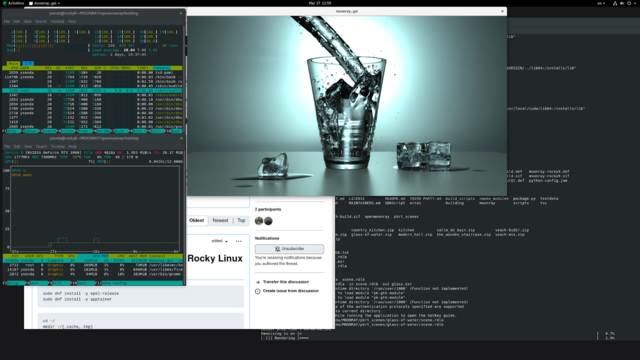
Tutorial step by step to install #Moonray render engine on #Linux via #Apptainer #opensource. #Ubuntu
https://ciq.co/blog/containerizing-moonray-oss-from-dreamworks-animation-using-apptainer-and-rocky-linux-9-base-image/ #3D #VFX #Animations #dreamworks
#dreamworks #animations #vfx #3d #Ubuntu #OpenSource #Apptainer #Linux #moonray
Yann Büchau :python: · @nobodyinperson
166 followers · 648 posts · Server fosstodon.orgApparently there is no good #FOSS STL viewer for #Android (let alone #SailfishOS), let alone one that auto-refreshes when the file changes.
And @alpinelinux doesn't have :openscad: #OpenSCAD packaged for #aarch64, so using alpine #Apptainer doesn't work either...
Leaves online STL viewers where you have to re-navigate to the STL when it changes. Meh, but it works.
Context: #PythonSDF works perfectly on #SailfishOS to do parametric 3D design. Just an STL viewer with auto-refresh is missing.
#foss #android #sailfishos #openscad #aarch64 #Apptainer #pythonsdf
Yann Büchau :python: · @nobodyinperson
162 followers · 591 posts · Server fosstodon.org
Running software from other OSs on #SailfishOS this way boils down to:
- build #Apptainer on phone (https://github.com/apptainer/apptainer/blob/release-1.1/INSTALL.md)
- make an @alpinelinux container -
or another OS that does your phone's architecture (https://apptainer.org/docs/user/latest/build_a_container.html)
- install wanted software in container
- invoke software from container as I show above in the screenshot
Yann Büchau :python: · @nobodyinperson
162 followers · 591 posts · Server fosstodon.org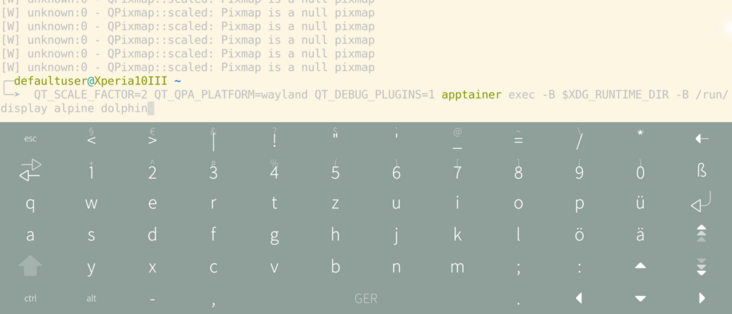
Well, that was surprisingly easy: @kde's dolphin file manager running in an @alpinelinux #Apptainer on :sailfishos: #SailfishOS. Okular works fine as well!
Full touch, scroll, pinch-to-zoom support etc. Quite cool! No menu bars though, no rotation and popups are weird, but hey!
#GTK apps don't quite want for now, but I bet it's possible equally.
Yann Büchau :python: · @nobodyinperson
159 followers · 585 posts · Server fosstodon.org
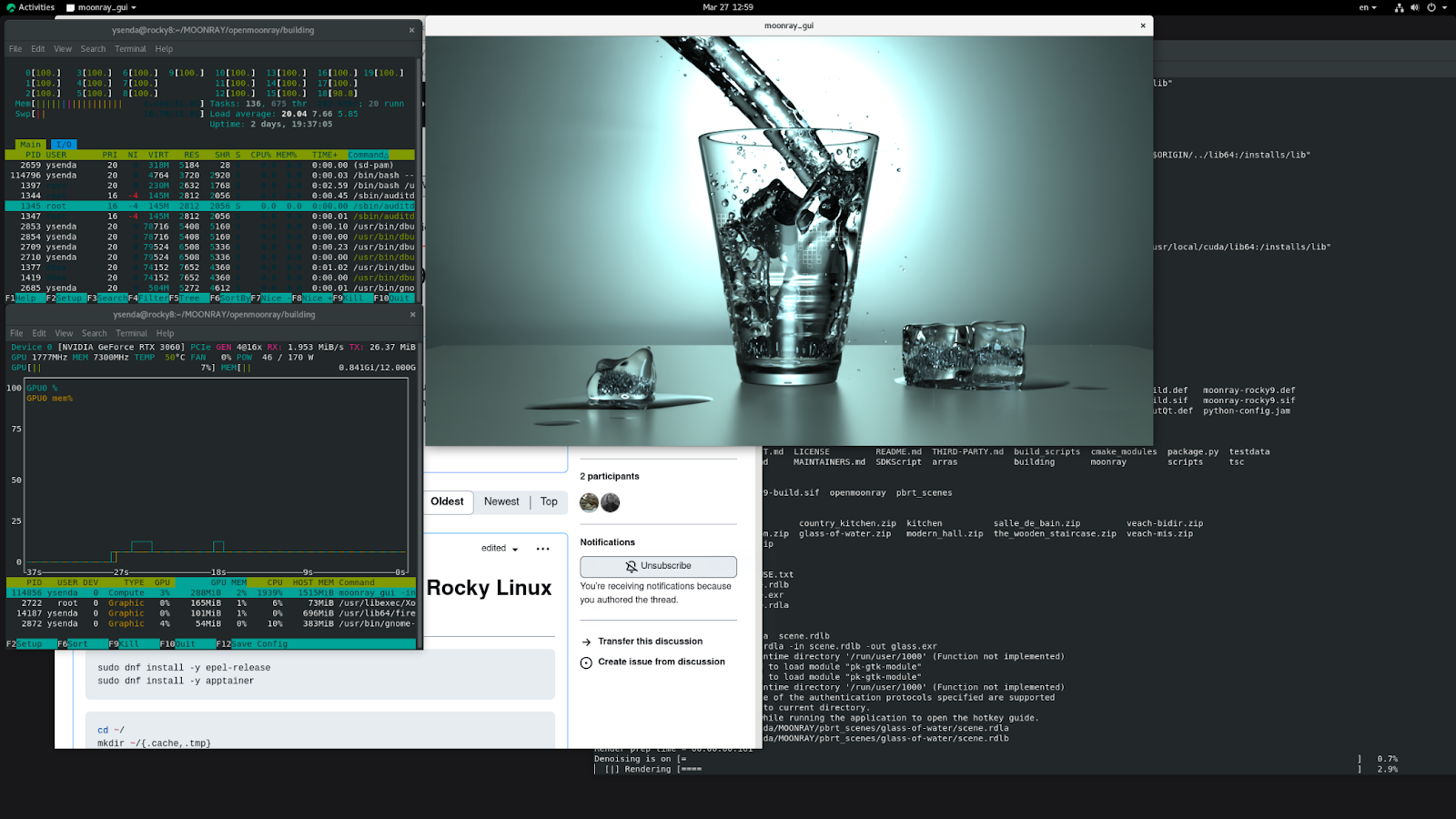
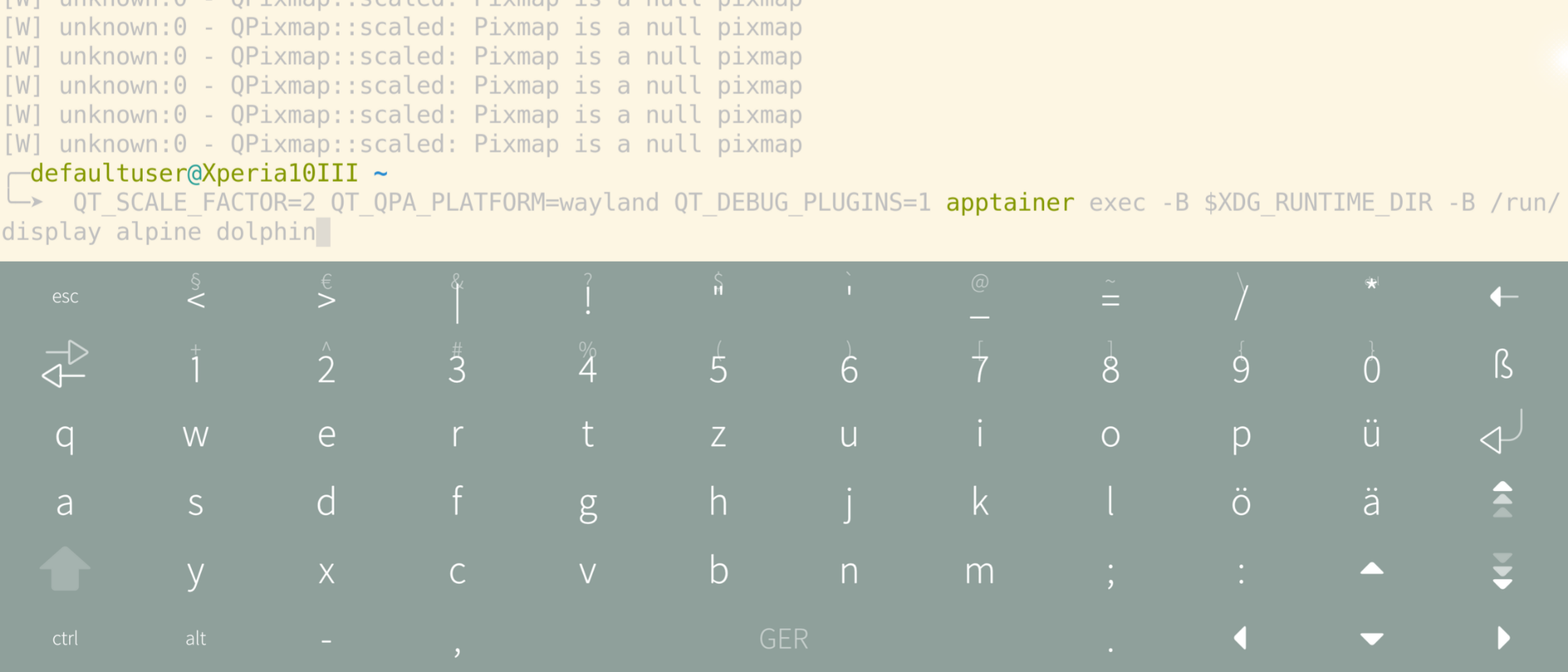

Well, that was surprisingly easy: @kde's dolphin file manager running in an @alpinelinux #Apptainer on :sailfishos: #SailfishOS
#GTK apps don't quite want for now, but I bet it's possible equally simply.
Yann Büchau :python: · @nobodyinperson
159 followers · 585 posts · Server fosstodon.org@linmob Is there a simple wayland test app like xeyes? I don't really know how to test if graphical apps work from within an #Apptainer because I don't know any Wayland apps 😅
Yann Büchau :python: · @nobodyinperson
159 followers · 585 posts · Server fosstodon.org@linmob Maybe one could also do something with #Apptainer. Works well on #SailfishOS, though I didn't try graphical apps yet.
Yann Büchau :python: · @nobodyinperson
152 followers · 552 posts · Server fosstodon.orgIt surely is annoying that :arch: #ArchLinux' makepkg can't be run as root 🙄 Especially in container environments like :docker: #Docker or #Apptainer you have to jump through hoops to build a PKGBUILD...
Yann Büchau :python: · @nobodyinperson
148 followers · 535 posts · Server fosstodon.orgIf you're (like me) struggling to build latest git-annex from source, here's an #Apptainer recipe:
https://gitlab.com/nobodyinperson/git-annex-apptainer
Being an Apptainer, the nice thing is that you can install the resulting image file into your $PATH and have git-annex work as usual.
Yann Büchau :python: · @nobodyinperson
147 followers · 523 posts · Server fosstodon.org@slott56 No. I just run `jupyter lab` in an #Apptainer and observe that sys.path always contains my $HOME's site-packages (except of course with `apptainer exec --no-home`, but that has other side-effects).
Yann Büchau :python: · @nobodyinperson
147 followers · 519 posts · Server fosstodon.orgCan you teach #Juypter to *not* include the user's site-packages?
Interestingly, `python -I jupyter` doesn't work: Jupyter apparently populates its own sys.path. With PYTHONPATH and JUPYTER_PATH you can only add to sys.path.
Do you really have to manually manipulate sys.path at the beginning of every notebook?...
I'd very much like my #Apptainer host's #Python to not pollute my conainer environment, but still have full access to my $HOME.