
Duke of Germany 💫 · @duke_of_germany
454 followers · 1407 posts · Server mastodon.gamedev.place🎵 Today's Coding Music 🎵
"Synthpop Chill" by Cyber Squirrel
Nostalgic & positive vibes 💜 Instantly got me in the right mood for retro game dev! ✨
https://www.youtube.com/watch?v=XOoFiSSQ7cs
#SynthWave #ChillWave #RetroWave #GameDev #CodingMusic #CodingProductivity
#synthwave #chillwave #retrowave #gamedev #codingmusic #CodingProductivity
Duke of Germany 💫 · @duke_of_germany
452 followers · 1374 posts · Server mastodon.gamedev.place🦊 Today I learned 🦊
❓ Want to open a context menu in Windows via keyboard shortcut?
➡️ Press "Shift + F10"
I navigate Windows via keyboard a lot, and this was the last thing I was somehow missing. 😊
#TodayILearned #TIL
#Windows #CodingProductivity
🧵 1/2
#todayilearned #til #windows #CodingProductivity
Duke of Germany 💫 · @duke_of_germany
434 followers · 1253 posts · Server mastodon.gamedev.place⭐ Great quote from one of the articles:
➖➖➖➖
Chad Fowler notes how deep-seated this is:
"The older I get, the more I realize the biggest problem to solve in tech is to get people to stop making things harder than they have to be."
➖➖➖➖
Duke of Germany 💫 · @duke_of_germany
412 followers · 1118 posts · Server mastodon.gamedev.placeTo answer one of my own questions:
Regarding the missing indication of which virtual desktop I am currently on, I just found a small tool called "WindowsVirtualDesktopHelper".
It briefly displays the name of the current desktop after switching, and it adds the number of the current desktop as a taskbar icon.
This is very helpful! ⭐
Duke of Germany 💫 · @duke_of_germany
412 followers · 1107 posts · Server mastodon.gamedev.placeI really like the "virtual desktop" feature of Windows! 💜
It let's me switch easily between setups for coding, communication, etc. 🥳
What I do not enjoy:
🟠 No keyboard shortcuts to directly jump to a specific desktop
🟠 With different wallpapers for each desktop under #Windows11, switching between desktops becomes jumpy and unreliable
🟠 No indication of current desktop's name anywhere
Did anybody overcome these problems? I'd be glad about any hint! 🙏
#CodingProductivity #windows #windows11
Duke of Germany 💫 · @duke_of_germany
410 followers · 1106 posts · Server mastodon.gamedev.place🎵 Today's Coding Music 🎵
"Soyokaze - A Chillwave Synthwave MIX"
Chill but activating! ✨
#CodingProductivity #codingmusic #chillwave #synthwave
Duke of Germany 💫 · @duke_of_germany
410 followers · 1106 posts · Server mastodon.gamedev.placeTo make use of the space a widescreen monitor or multiple monitors offer, it is worthwhile checking out the window management tools of Windows:
- Windows 11: drag window to the bar on the top edge of the screen to quickly create a window group
- Windows 10: drag a window to the left/right edge or corners of the screen to create a window group
- Windows 10 again: use "PowerToys" by Microsoft, it has a feature "FancyZones" with adv. tiling features
🧵 2/2
Duke of Germany 💫 · @duke_of_germany
410 followers · 1106 posts · Server mastodon.gamedev.placeI had to work up to this and rearrange my setup several times to make this finally work! 😅 Also, I mounted all three monitors on monitor arms, to save space.
Some random insights from using multiple monitors for a while:
- For private dev work, 2 monitors is enough (at work I use 3, so I can have Outlook + Teams on a separate monitor)
- When using a single monitor, a widescreen like the one you have is an extremely versatile solution! ✨
🧵 1/2
Duke of Germany 💫 · @duke_of_germany
410 followers · 1106 posts · Server mastodon.gamedev.place🎵 Today's Coding Music 🎵
"Synthwave Cyberpunk Mixtape"
Has both activating & relaxing vibes! ✨
#CodingProductivity #codingmusic #cyberpunk #synthwave
Duke of Germany 💫 · @duke_of_germany
387 followers · 953 posts · Server mastodon.gamedev.place🎵 Today's Coding Music 🎵
This is actually meditation music, but it gives me the peace of mind to work through tricky problems. 🙂
Bonus tip: goes extremely well with the "Zen Mode" of #JetBrainsRider ☯️
#CodingProductivity #codingmusic #jetbrainsrider
Duke of Germany · @duke_of_germany
335 followers · 687 posts · Server mastodon.gamedev.place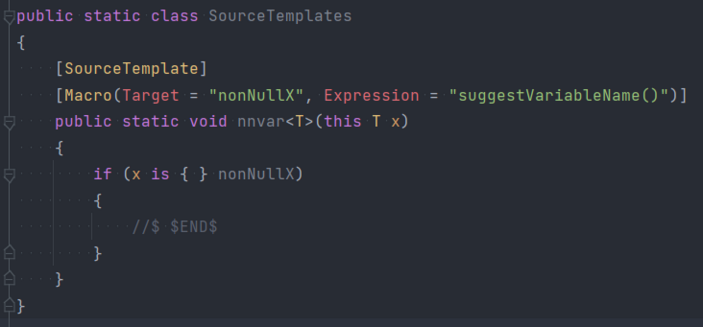
For anybody interested:
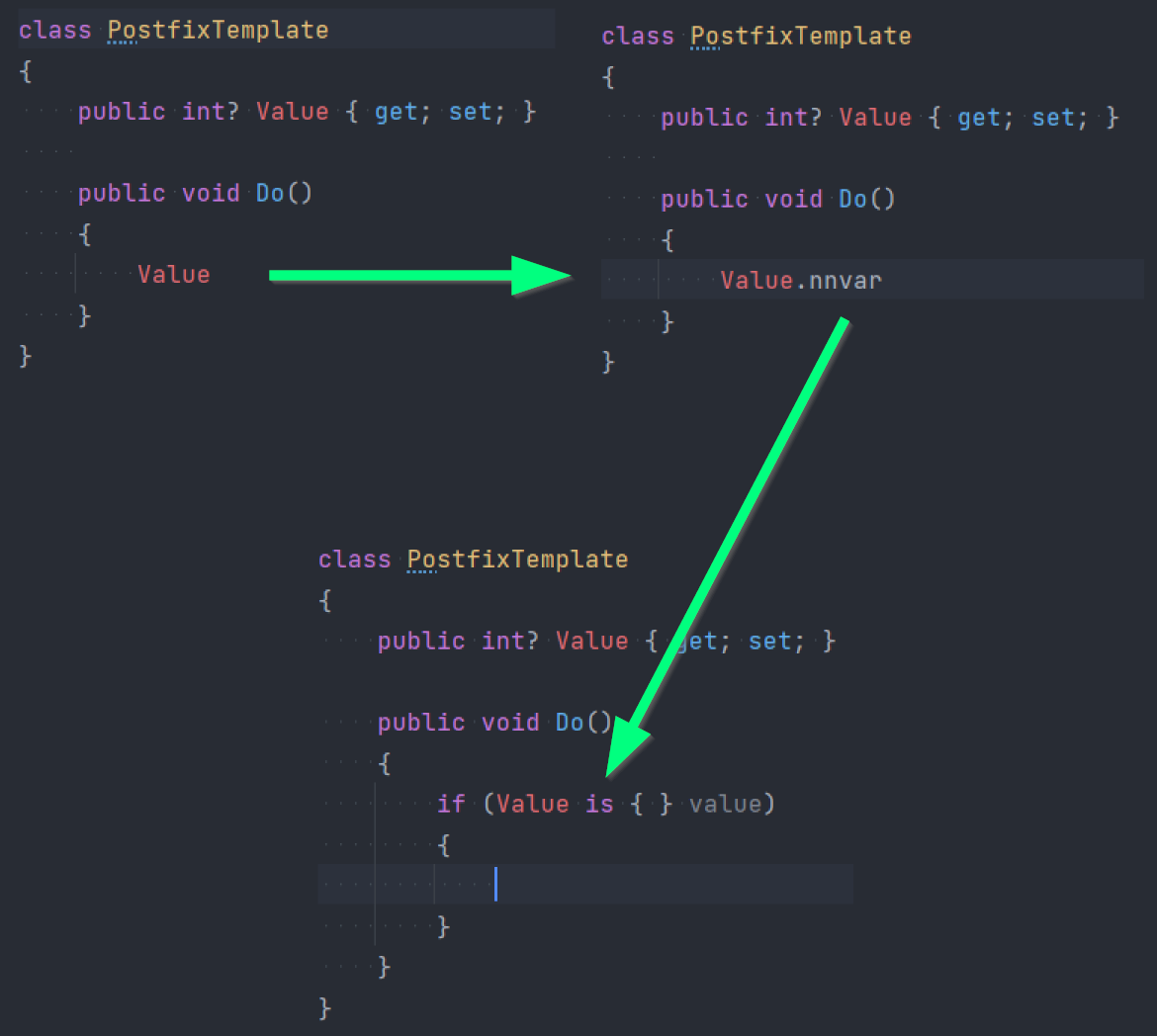
See attached screenshot for how to implement my suggested "nnvar" postfix template as a source template.
#CodingProductivity #csharp #jetbrains #jetbrainsrider
Duke of Germany · @duke_of_germany
331 followers · 673 posts · Server mastodon.gamedev.place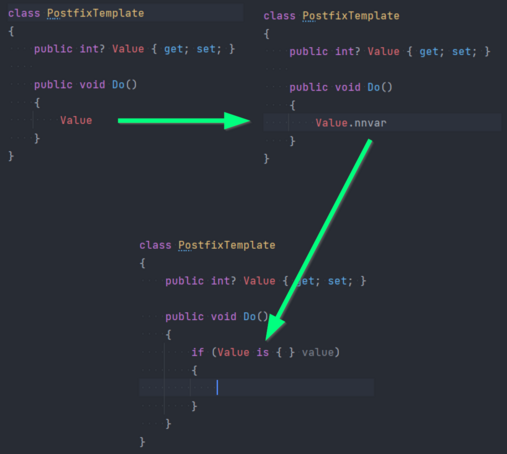
Hello @matkoch! 👋
As promised, I wanted to ask you about how to implement custom postfix completion templates in Rider. 🙂
As an example that would be super handy for me:
I would like to have a postfix template "nnvar" for any nullable variable applying a non-null var pattern.
Please see attached image for a mockup of how I think this should work.
If you could give me any hint on how I could achieve this, I would be very grateful! 😺
#CodingProductivity #csharp #jetbrains #jetbrainsrider
Duke of Germany · @duke_of_germany
331 followers · 673 posts · Server mastodon.gamedev.placeSome things I do:
- "Documentation via code" (readily available scripts for installing dependencies / building / running tests / ...)
- Keeping a list of the very next things to do
For any additional documentation:
- Use simple file formats (markdown, svg files for diagrams, ...)
- Have all these files under version control within the project's own repository
Duke of Germany · @duke_of_germany
285 followers · 625 posts · Server mastodon.gamedev.place💜 Things I love about Rider💜
I want to show my appreciation for Rider's "Local History" feature. 😺
😱Ever slightly messed up a file?
✨Right-click the file => "Show Local History" => cherry-pick the changes you want undone. 🥳
😱Every accidentally deleted a file not yet under version control?
✨Right-click the containing folder => "Show Local History" => revert the deletion.🥳
A big "thank you" to whoever invented & implemented it! 💜
#CodingProductivity #csharp #jetbrains #jetbrainsrider
Duke of Germany · @duke_of_germany
143 followers · 359 posts · Server mastodon.gamedev.place@HelenJoScott That is a great article! I had no idea about the "Alt + Click + Drag" method! 😮 👍
Let me add another cool method that is super handy:
✨ Press "ALT + J" several times, to mark the word the cursor is on, as well as all the other instances of this word in the same file. Gives you multiple cursors as well! ⭐
I use this all the time for refactorings. 😺
#JetBrains #JetBrainsRider #IntelliJIDEA # IntelliJ #CodingProductivity
#CodingProductivity #intellijidea #jetbrainsrider #jetbrains
Duke of Germany · @duke_of_germany
134 followers · 347 posts · Server mastodon.gamedev.place⁉️📊
How many monitors do you need for coding?
#Programming #Coding #Dev #GameDev #CSharp #SoftwareDev #CodingProductivity #CodingSetup
#CodingSetup #CodingProductivity #softwaredev #csharp #gamedev #dev #coding #programming
Duke of Germany · @duke_of_germany
134 followers · 347 posts · Server mastodon.gamedev.place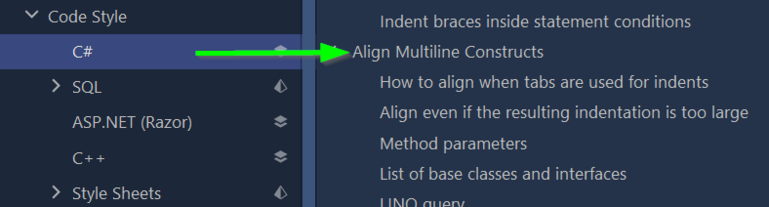
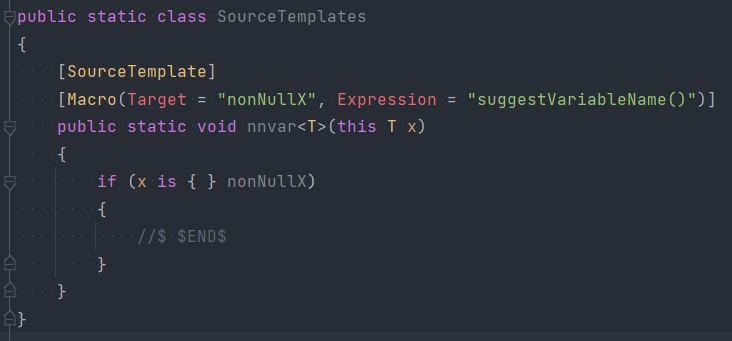
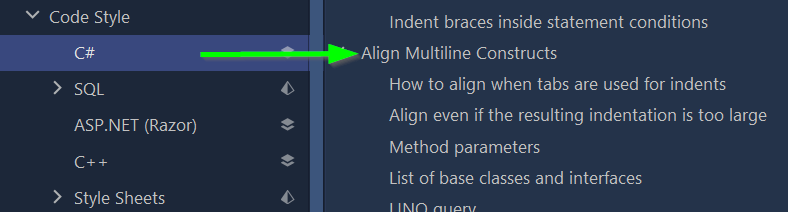
Again, I discovered a feature in Rider that made my life so much easier:
✨ "Align Multiline Constructs" ✨
It tells the formatter to arrange certain code constructs in columns, e.g. placing variable types and names directly under each other in declarations.
Now I just have to press "Ctrl + Alt + L", and have a much easier time to visually parse adjacent lines of similar code! 😍
Did I already mention that Rider is awesome? 💜 😄
#JetBrainsRider #JetBrains #CSharp #CodingProductivity #GameDev
#gamedev #CodingProductivity #csharp #jetbrains #jetbrainsrider