
OMG! Ubuntu! · @omgubuntu
361 followers · 773 posts · Server hello.2heng.xinDesktop Cube GNOME Extension Now Supports Background Panoramas
Workspace switching just a whole look cooler with the addition of background panoramas to the Compiz-inspired Desktop Cube GNOME extension.
#News #Compiz #DesktopCube #EyeCandy #GnomeExtensions
:sys_omgubuntu: https://www.omgubuntu.co.uk/2022/03/desktop-cube-gnome-extension-panoramas
#news #Compiz #DesktopCube #EyeCandy #GnomeExtensions
OMG! Ubuntu! · @omgubuntu
361 followers · 773 posts · Server hello.2heng.xin‘Desktop Cube’ GNOME Extension Now Supports Click & Drag Deform
That ace Desktop Cube GNOME extension we wrote about a few months ago? It now supports click & drag directly on the desktop, just like the original Compiz Cube effect that inspired it. On Ubuntu you do need to disable the DING extension for the drag feature to work, but once you have you can click, hold and then pull the desktop in any direction to ‘deform’ it in to the rotating 3D cube switcher: If you don’t fancy disabling DING you can also click and drag from any empty part of the top bar. You can also tap super :sys_more_orange:
#Download #News #Compiz #Cube #EyeCandy #GnomeExtensions
:sys_omgubuntu: https://www.omgubuntu.co.uk/2022/02/desktop-cube-gnome-extension-click-drag-explode
#download #news #Compiz #Cube #EyeCandy #GnomeExtensions
OMG! Ubuntu! · @omgubuntu
361 followers · 773 posts · Server hello.2heng.xin‘Burn My Windows’ Extension Adds Breaking Glass Effect & More Options
New effects and options are included in the latest release of the ‘Burn my Windows’ GNOME Shell extension. The effervescent animation add-on has won itself a legion of fans thanks to its crop of cool animated window closing effects that look good and aren’t super-heavy on system resources. In its latest update, a ‘Breaking Glass’ effect has been appended to add-on’s animation armoury, albeit only for GNOME 40 and above. As with other effect there are controls to adjust animation time, scale, gravity, and “blow force”. You can also choose to make the window shatter from the location of the :sys_more_orange:
#News #Compiz #EyeCandy #GnomeExtensions
:sys_omgubuntu: https://www.omgubuntu.co.uk/2022/01/burn-my-windows-extension-updated-again
#news #Compiz #EyeCandy #GnomeExtensions
OMG! Ubuntu! · @omgubuntu
361 followers · 773 posts · Server hello.2heng.xinCompiz’s Iconic Window Closing ‘Fire’ Effect Comes to GNOME Shell
First came a GNOME extension reimplementing wobbly windows, then we saw the return of the cool 3D desktop cube effect — now comes the final part of the holy Compiz trinity: window fire. Intent on inducing nostalgia amongst Linux users of a certain vintage, developer Simon Schneegans (of GNOME Pie/Fly Pie fame) has taken time to recreate Compiz’s iconic window close effect as a GNOME extension. Just like the effect of old the new one is: Excessive ✔ Showy ✔ Useless ✔ And also: Totally cool ✔ While this effect (like many others) is available on other window managers/desktop environments, :sys_more_orange:
#Download #HowTo #News #Compiz #EyeCandy #GnomeExtensions
:sys_omgubuntu: https://www.omgubuntu.co.uk/2021/12/enable-compiz-fire-effect-on-window-close-linux
#download #howto #news #Compiz #EyeCandy #GnomeExtensions
OMG! Ubuntu! · @omgubuntu
361 followers · 773 posts · Server hello.2heng.xinEnable This Cool 3D Cube Desktop Effect on Ubuntu 21.10
Is this a blog or time machine? I ask because I’m we’re launching headfirst into 2009 and the era of showy, superfluous Linux desktop effects. We’ve seen wobbly windows, magic lamp effects, and beautifully blurred backgrounds all ported to GNOME extension. Now comes the showpiece: the rotating 3D cube desktop. Popularised by Compiz (and implemented into other window managers), the 3D cube desktop made workspace switching a blingy affair. Each dedicated workspace was moulded into a spinning cube, with each workspace a ‘facet’. In addition, the effect made application windows “float” off of the workspace in a a separate layer :sys_more_orange:
#Download #Themes #Compiz #DesktopEffects #EyeCandy #GnomeExtensions
:sys_omgubuntu: https://www.omgubuntu.co.uk/2021/12/linux-3d-cube-desktop
#download #themes #Compiz #DesktopEffects #EyeCandy #GnomeExtensions
OMG! Ubuntu! · @omgubuntu
361 followers · 773 posts · Server hello.2heng.xin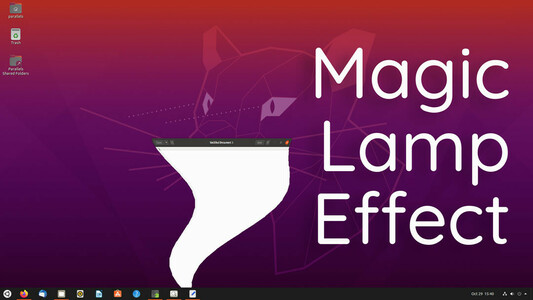
Get a Magic Lamp Effect on Ubuntu with this GNOME Extension
I’m in the process of revamping my guide on how to make Ubuntu look like a Mac (so it better reflects the look and feel of modern macOS) and the GNOME extension below is going :sys_more_orange:
#Themes #Compiz #GnomeExtensions #Mac
:sys_omgubuntu: https://www.omgubuntu.co.uk/2020/10/magic-lamp-effect-gnome-extension
#themes #Compiz #GnomeExtensions #mac
OMG! Ubuntu! · @omgubuntu
361 followers · 773 posts · Server hello.2heng.xin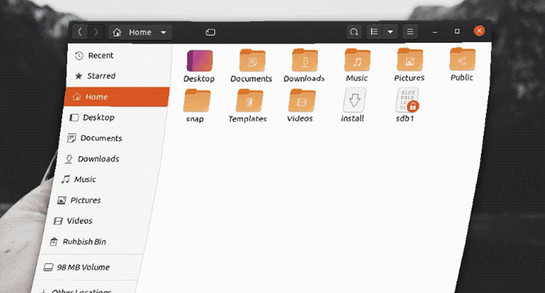

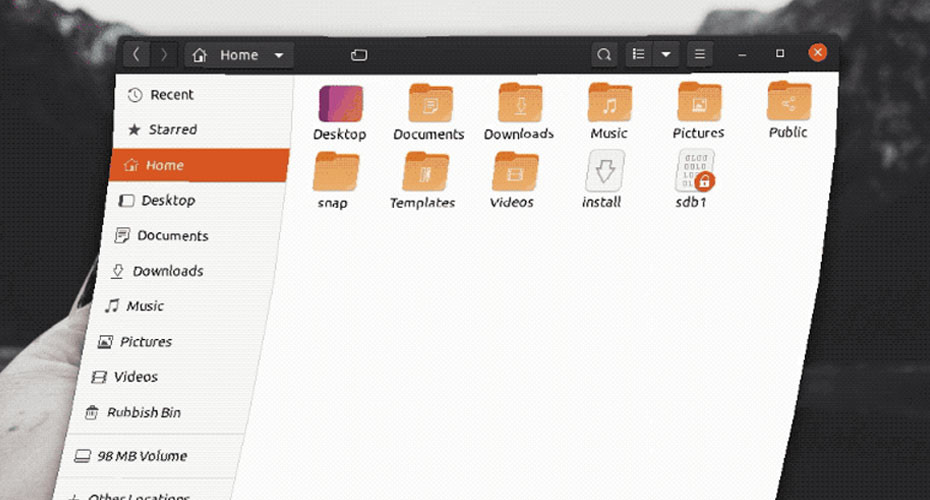
How to Enable Wobbly Windows Effect on Ubuntu 20.04 LTS
Want to enable a wobbly window effect on Ubuntu 20.04 LTS? You can using this free Compiz-style window effect extension for the GNOME Shell desktop.
#HowTo #Compiz #EyeCandy #GnomeExtensions #WobblyWindows
:sys_omgubuntu: https://www.omgubuntu.co.uk/2020/06/how-to-enable-wobbly-windows-effect-on-ubuntu-20-04-lts
#howto #Compiz #EyeCandy #GnomeExtensions #WobblyWindows