
Leonard/Janis aka lj·rk · @ljrk
620 followers · 20767 posts · Server todon.euHello #systemd bubble! Does anyone know why `ukify genkey` generates a signing key/cert pair (AFAICT that corresponds to the #EFI #SecureBoot DB Key/Cert), and even references sd-boot's ability to enroll them, but sd-boot requires .auth files for KEK, PK and DB (I mean, it can't just invent them :'-D)?
So, the only way to do that is to either manually generate KEK, PK and then sign them with the DB key and generate the .auth files, or to let a tool like #sbctl or whatever generate them and try to feed those into ukify (which internally uses #sbsigntool). But both seem to be a bit more of a hassle than needed?
#systemd #EFI #SecureBoot #sbctl #sbsigntool #uefi

Jeff Rizzo · @jeffrizzo
87 followers · 451 posts · Server sfba.social(more context for those who might help with a #grub/#uefi problem)
In case the page didn't load, here's what I have to type every time:
insmod part_gpt
insmod chain
set root=(hd0,gpt3)
insmod ntfs
chainloader (hd0,gpt1)/EFI/Microsoft/Boot/bootmgfw.efi
boot
It's GRUB 2.06.
...I'm certain I just need to put this in a config file somewhere, maybe in the #efi partition? help!
Jeff Rizzo · @jeffrizzo
87 followers · 451 posts · Server sfba.socialHoping someone in the Fediverse can help, because I'm not sure which piece I'm not understanding correctly!
The goal here is to boot the Windows 10 partition on my laptop's SSD under #VirtualBox on the #Ubuntu22 #linux partition. The good news? It works! The bad news? The #efi / #grub piece isn't saving automatically and so I have to type it in every time... websearch has been difficult since I don't know what to ask...
I used these instructions (in German, but browser translation produces very usable English): https://the-digital-native.de/?p=366
The part I have to do every time is under "Set up GRUB". It all works (and boots!) except where it says, "The settings made are saved and Windows will start up automatically in the future" - every time I get the GRUB screen at boot, and I have to type in the pieces. Any clues for me? I'm somewhat conversant in GRUB, but it's not clear to me which of the many layers should be saving this...
#virtualbox #Ubuntu22 #linux #EFI #grub

Maik Außendorf · @AussenMa
450 followers · 264 posts · Server gruene.social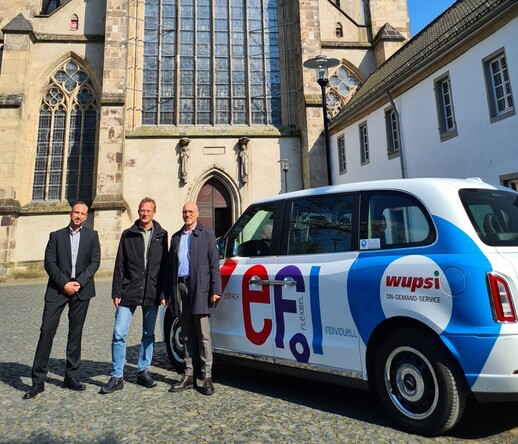
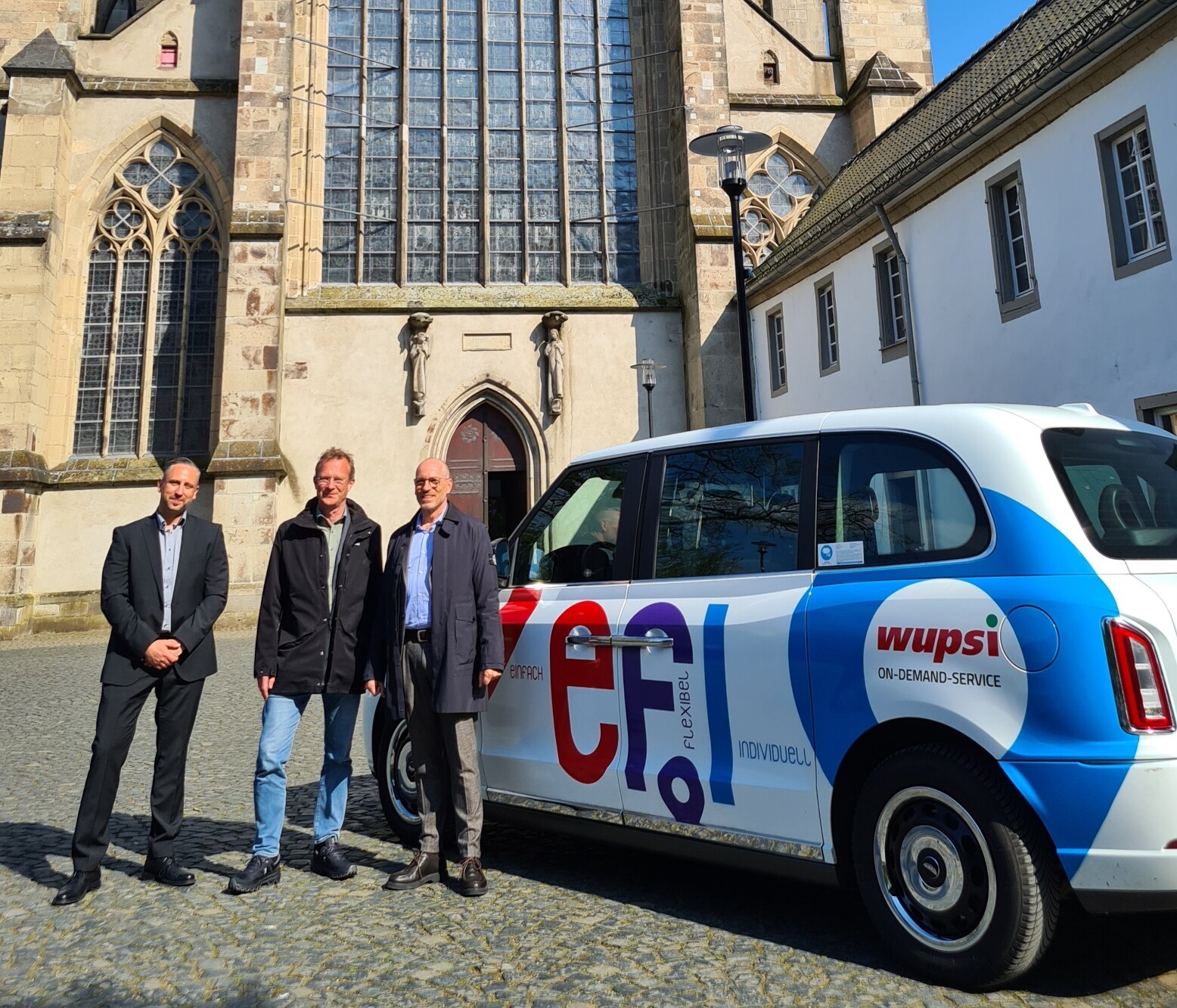
Besuch bei #efi in Odenthal: tolles Projekt von #wupsi & @CleverShuttle, das mit einem elektrischen barrierearmen On-Demand Shuttle den #ÖPNV ergänzt und auch ländliche Gegenden flexibel & klimafreundlich anbindet. So geht nachhaltige #Mobilität! Danke an @bmdv für die Förderung.

Arne Babenhauserheide · @ArneBab
649 followers · 14256 posts · Server rollenspiel.socialUpdate #Guix #Grub #EFI #Bootloader when updating from a fallback-system: https://www.draketo.de/software/guix-work#update-efi-fallback
#uefi #linux and some additional grievance caused by #systemd
#guix #grub #EFI #bootloader #uefi #linux #systemd

Anubhav · @anubhav
10 followers · 321 posts · Server hachyderm.ioTo users of #OpenZFS #ZFSOnRoot on #FreeBSD on #Framework #laptop #FrameworkPuter,
If you had updated the #BIOS, how did you do that? Did you need to restore the #EFI configuration somehow?
#openzfs #zfsonroot #freebsd #framework #laptop #frameworkputer #bios #EFI #hachydermhelp #mastodonhelp #freebsdhelp

Der schwule Geist vom Jörg · @schwulgeist
95 followers · 489 posts · Server graz.socialAchja auch noch wichtig:
Es gibt ein #persistence #plugin , damit bleiben Einstellungen, Daten und Installationen in einem #LiveSystem erhalten, nachdem ihr es beendet habt.
Muss mir jetzt selbst angucken, wie ich das wiederum installier 🙈
#persistence #plugin #LiveSystem #liveusb #Ventoy #linux #windows #ISO #EFI
Der schwule Geist vom Jörg · @schwulgeist
94 followers · 486 posts · Server graz.socialVorgestern zufällig den USB Stick wiederentdeckt, den ich mit #OpenSource Tool #Ventoy formatierte.
Damit lassen sich per drag & drop, dann per Auswahlmenü beim Hochfahren auch mehrere, zB #Linux und #Windows Abbilder bootfähig und live ausführen, es erspart also neuerliches Formatieren und das ganze Zeug!
Z.B. auch zur #Datenrettung sehr zu empfehlen.
Extrem praktisch, und ich hatte vergessen, dass ich den hab, und es das gibt 😄
#opensource #Ventoy #linux #windows #Datenrettung #BootableUSB #liveusb #ISO #EFI

Tech News Worldwide · @TechNews
11241 followers · 97974 posts · Server aspiechattr.meWhy is my Mac’s firmware version wrong, and what to do about it?
https://eclecticlight.co/2022/11/07/why-is-my-macs-firmware-version-wrong-and-what-to-do-about-it/
#Applesilicon #Configurator #SilentKnight #Technology #BridgeOS #firmware #Macs #EFI #M1 #M2 #T2
#AppleSilicon #Configurator #SilentKnight #technology #BridgeOS #firmware #macs #EFI #m1 #M2 #T2
Tech News Worldwide · @TechNews
11244 followers · 97974 posts · Server aspiechattr.meWhich firmware should your Mac be using? (version 7)
https://eclecticlight.co/2022/11/03/which-firmware-should-your-mac-be-using-version-7/
#Technology #eficheck #ethcheck #firmware #Monterey #security #macOS12 #upgrade #update #Macs #EFI #Mac
#technology #eficheck #ethcheck #firmware #Monterey #security #macOS12 #upgrade #update #macs #EFI #mac

Johannes Brakensiek · @letterus
468 followers · 5686 posts · Server kirche.social
Karl Voit :emacs: :orgmode: · @publicvoit
1267 followers · 11459 posts · Server graz.socialI spent many hours and still failed to get a #Debian stable onto my new barebone computer.
#EFI or #UEFI seems to have changed almost everything I knew about how a computer boots up and how an OS has to be set up. If I fail tomorrow again, I probably need to dump Debian and switch to something else. 😒
#Bullseye