Joseph Holsten · @josephholsten
147 followers · 2524 posts · Server mstdn.socialI want to start diving into actual dev work trying to get some #RaspberryPi devices added to #illumos (I’m scared of graphics stuff, but the Wi-Fi and Ethernet have implementations elsewhere I can attempt to horribly port)
But first I have to write up a simpler howto so anyone with USD$150 can get as far as I have. I mean, it’s a terribly incomplete port by modern Unix standards, but it’ll run vim so it can’t be that broken.
#illumosonarm #illumos #RaspberryPi
Joseph Holsten · @josephholsten
145 followers · 2491 posts · Server mstdn.social
Got my #illumos braich image running on the #RaspberryPi, uart pins connected through the official debug probe, and am playing around with screen to talk to the serial console before I dig into minicom. I hadn’t realized how deep this rabbit hole goes. But I really want to understand how to get a minimal term wired to VGA.
But now that I have a working testbed, I have to be able to compile my own image. Guess I’m going to have to track down my missing header warnings.
#illumosonarm #RaspberryPi #illumos
Joseph Holsten · @josephholsten
141 followers · 2456 posts · Server mstdn.socialTaking a break from trying to build my own #illumos image from arm64-gate because I’m getting frustrated.
Instead, I’m going to use the known (well, presumed) good image at:
https://downloads.omnios.org/media/braich/
Then I can at least test the hardware setup & write up my progress so far.
#illumosonarm #RaspberryPi #illumos
Joseph Holsten · @josephholsten
141 followers · 2456 posts · Server mstdn.socialStopping the build machine for the night. Minimal memory ain’t enough for compiling arm64-gate, and I’ve hit a strange issue involving libbrand.h. But lots more progress learning my way around.
And I found a cute query for bite-size issues in #illumos should I need more to do: https://www.illumos.org/projects/illumos-gate/issues?utf8=✓&set_filter=1&sort=id%3Adesc&f%5B%5D=cf_7&op%5Bcf_7%5D=%3D&v%5Bcf_7%5D%5B%5D=Bite-size&f%5B%5D=status_id&op%5Bstatus_id%5D=o&f%5B%5D=&c%5B%5D=tracker&c%5B%5D=status&c%5B%5D=priority&c%5B%5D=subject&c%5B%5D=assigned_to&c%5B%5D=updated_on&c%5B%5D=done_ratio&group_by=&t%5B%5D=
Joseph Holsten · @josephholsten
141 followers · 2456 posts · Server mstdn.socialOof, builds are 40min on this teensy vm and I’m not even completing the process. Once I get a successful build and reproduction on clean machine, I’m at least going to get this pulling from local repo & artifact mirrors. It’ll take forever for me to just make one line changes at this pace.
#IllumosOnArm
Joseph Holsten · @josephholsten
141 followers · 2427 posts · Server mstdn.social
Alright, got mosh and my mobile key on the build box. Now I’m making this #illumos on #arn image build script ensure all its dependencies exist so it can run from a blank slate. Once I get a full run-through, we’ll build a new box and see how many assumptions I have baked in…
I’m almost certainly duplicating someone else’s work, but at this way I’ll be able to understand what’s actually happening in whatever build script is building the already published braich image.
#IllumosOnArm
Joseph Holsten · @josephholsten
141 followers · 2427 posts · Server mstdn.socialBuilt a new #omnios build machine, actually using cloud-init instead of jacking into the serial console for initial setup. Still nowhere near as automated as I want, but if I start rebuilding every couple of days, it should get easier.
Now to kick off Till’s image build script to get my own braich image.
#IllumosOnArm
Joseph Holsten · @josephholsten
135 followers · 2356 posts · Server mstdn.social
Got the breadboard and UART-to-USB wired up (Let’s hope I wired rx/tx right). Now it’s time to write the braich #illumos image, boot it on the #RaspberryPi and see what comes across the wire.
Then I get to confirm I can build an equivalent image from source.
#illumosonarm #RaspberryPi #illumos
Joseph Holsten · @josephholsten
132 followers · 2243 posts · Server mstdn.socialI guess instead of waiting for my #RaspberryPi debug probe with SWD & TTL to USB, I should go find some entirely trivial typo in #illumos doc and learn how the contributor flow works. Or maybe automate building sdcard images from repo head.
![por_que_no_dos.gif]
#illumosonarm #illumos #RaspberryPi
Joseph Holsten · @josephholsten
129 followers · 2180 posts · Server mstdn.socialGoing with the boring #RaspberryPi Debug Probe https://www.raspberrypi.com/products/debug-probe/
I mean, I don’t really want to learn how to use the #ARM DAP, but it’s not like a regular JTAG connection (which I might want for a different system) will help me here.
Tossing a breadboard and some jumpers into the cart so I can plausibly use it for educational projects too.
#illumosonarm #ARM #RaspberryPi
Joseph Holsten · @josephholsten
129 followers · 2180 posts · Server mstdn.socialOkay, looking at the pinouts for all these UART boards means I’ve officially dug too deep into the problem: https://www.sparkfun.com/categories/349
Time to pop this stack, call it done and move on. Like seeing what I get out of a serial console connection when I boot the braich image on OCI’s Ampere Altra VMs.
Joseph Holsten · @josephholsten
129 followers · 2180 posts · Server mstdn.socialSimilarly, wow did everyone stop making TTL to USB chipsets? Is FTDI just the only one getting their chips into premade boards & cables? Looks like all the CP2102 & PL2303 based devices have been replaced with an FT232 or similar.
Joseph Holsten · @josephholsten
129 followers · 2180 posts · Server mstdn.socialSure, it’s needlessly antiquated. But it would be hilarious to have my #RaspberryPi serial console be over a traditional d-sub DE-9 with https://www.sparkfun.com/products/449
Joseph Holsten · @josephholsten
127 followers · 2155 posts · Server mstdn.socialOk, today I’ve got to figure out what uart interface I’m getting for the #IllumosOnArm #RaspberryPi. I mistakenly said I hadn’t used a uart since high school, forgetting the FTDI cable I use for my baofeng radio.
Leaning toward a breakout board like the FTDI Friend or BUB instead of a cable.
And with luck, finishing my post on the cheapest #illumos instance config on Oracle Cloud. I haven’t got it running in the always free shapes, but I have gotten it quite simple.
#illumos #RaspberryPi #illumosonarm
Joseph Holsten · @josephholsten
121 followers · 2086 posts · Server mstdn.social


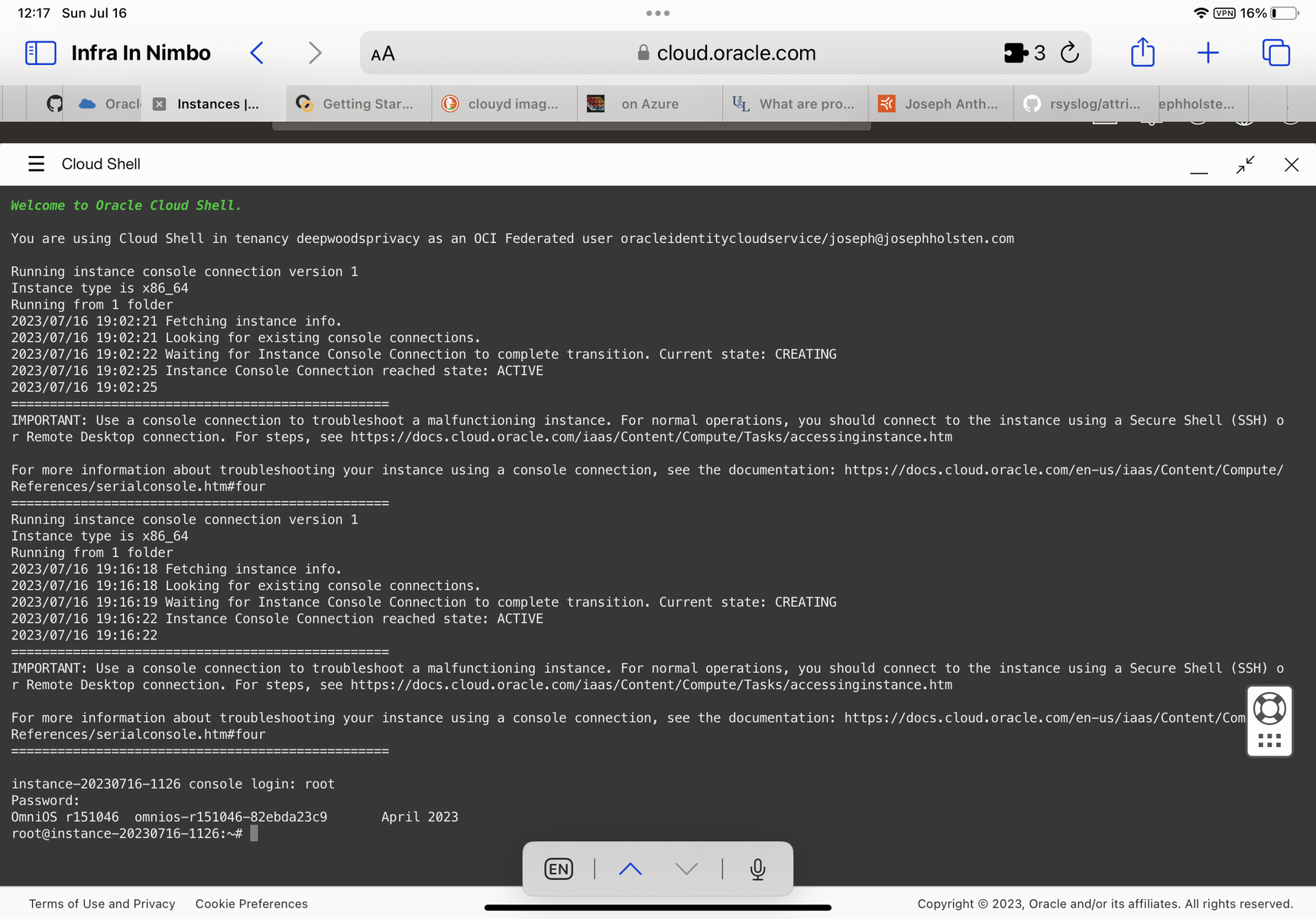
The dev machine is operational! #OmniOS on OCI AMD processor, delightfully boring. I still want to come back to spinning up an #OpenIndiana instance as a real workstation, but this works enough to get a build running.
Once I have it kicked off, I’ll start adding basic repeatability scripting, asset uploading, etc. eg continuous integration like it’s 1999.
Also, I’m going to start using #IllumosOnArm just so I can find my messages later.
#illumos #arm
#ARM #illumos #illumosonarm #openindiana #omnios