
Terence Tao · @tao
11002 followers · 318 posts · Server mathstodon.xyz
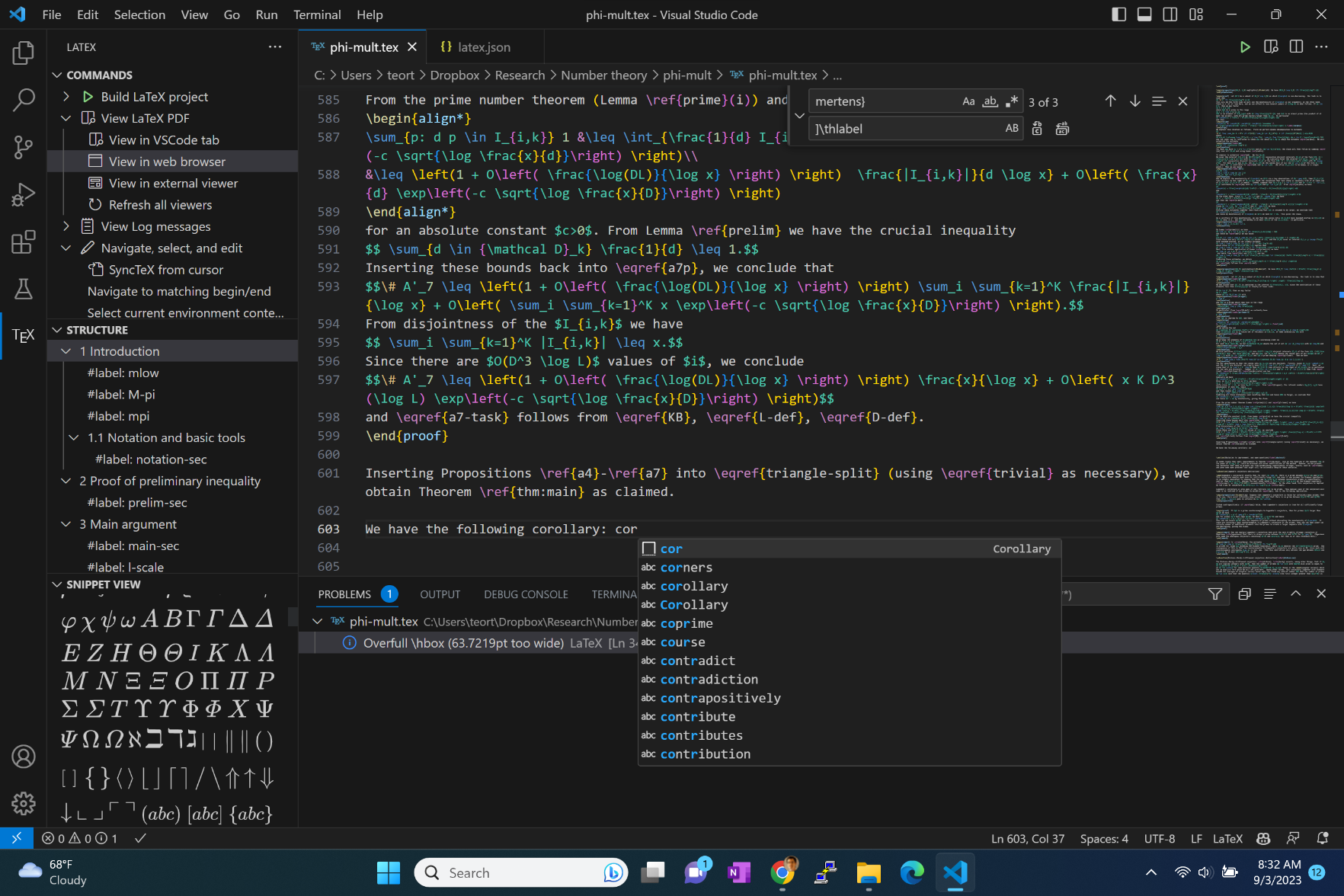
Every five to ten years, I make the effort to switch my #LaTeX editor to a more modern one. This process has now iterated several times back from when I was a graduate student in the mid-1990s using vi from a UNIX shell. On the suggestion of a reader here, I installed #VSCode + #TeXLive + #LaTeXworkshop + #GithubCopilot as an upgrade from my current setup of #TeXnicCenter + #miktex
which I had been using for almost a decade, and am recording my first impressions here (which will most likely be quite naive for existing VSCode users).
The installation had no problems (other than the four hours needed to download the TeX live packages on a slow internet connection). I began experimenting with various features. So far I have mostly played with the user-defined code snippets feature, which can allow me for instance to create an entire corollary environment by typing in a trigger word (I chose "cor") and pressing tab (see enclosed screenshots). Strangely enough I had a version of this functionality 20 years ago during a brief period when I experimented with using Microsoft Word as a LaTeX editor purely for the ability to use Visual Basic macros (though I abandoned this shortly after due to the lack of other LaTeX-friendly features). I could certainly see myself using this feature frequently as a time-saver.
So far the AI-powered Copilot suggestions have been mainly useful for filling out the snippet functionality: after giving a few examples of the snippets I wanted, it was able to suggest more that I could accept, again with the single click of the tab key.
(Incidentally, the screenshots are displaying a paper which I will be putting on the arXiv shortly. Stay tuned...)
#miktex #texniccenter #githubcopilot #latexworkshop #texlive #vscode #latex

the roamer · @the_roamer
811 followers · 2279 posts · Server mastodonapp.uk[1/2] A bit techy, but relevant to writers in all fields.
In the 1970s, computer scientist #DonaldKnuth was unhappy with the quality of the #typesetting for his books. Being #Knuth, he wrote a new programming language to do the job on the computer. This is #TeX, the programme, pronounced "tek" or "tech". An active community develops user-friendly higher-level packages, called #TeXLaTeX.
There are free implementations for most environments. On Windows I use the #MikTex app.
\cont'd
#texlatex #donaldknuth #typesetting #knuth #tex #miktex

Iragersh · @Iragersh
245 followers · 2684 posts · Server mstdn.social@PallidaMors76 @atthenius This comparison of #LaTex editors https://en.wikipedia.org/wiki/Comparison_of_TeX_editors may serve as a guide. I may have used #MikTex. The name really sounds familiar. I personally don't care if a report writer is not #WYSIWYG. In fact, the nature of #CrystalReports prevents comparisons which I find a real drawback.
#crystalreports #wysiwyg #miktex #Latex
Iragersh · @Iragersh
245 followers · 2684 posts · Server mstdn.social@PallidaMors76 @atthenius The company I'm with uses #CrystalReports (CR) for reporting. Its certainly not free even though we use an ancient version and we had to start using a command line add on to make the CR work. The decision to use CR preceded me. I don't know why it was chosen vs something like #LaTex or #MikTex. I can only think because CR is #WYSIWYG.
#wysiwyg #miktex #Latex #crystalreports

Mohammad Hajiaghayi · @MTHajiaghayi
4 followers · 5 posts · Server mathstodon.xyzLesson 1: Introduction to Algorithms by Mohammad Hajiaghayi: Intro to Basic Tools and Techniques
https://youtu.be/mVeJgJwvpNY
We discuss basic tools for explaining and coding algorithms such as #Latex,#Overleaf,#MikTex, #VSCode, #stl, #c++, #induction websites for Algorithmic Coding
#induction #c #stl #vscode #miktex #overleaf #latex

Seve_py :vim: :python: · @seve_py
13 followers · 200 posts · Server fosstodon.orgTIL :
I can run #MiKTex from a USB stick
https://miktex.org/howto/portable-edition