Garvin Hicking · @supergarv
223 followers · 635 posts · Server phpc.social@mateng I enjoy:
#sequelace (SQL GUI)
#Owly ("power management")
#Tiles (snappy windows)
#iStats (sys stats)
#Bartender (taskbar util)
#Pastebot (clipboard)
#GrandPerspective (spaaace)
#Ivory (mastodon)
#karabiner #ukelele (keymaps)
#postman (curl gui)
#DuplicateImageFinder (finding dupe images 🤡)
#bandwidth+ (hotspot tracker)
#tunnelblick (vpn)
#ohmyzsh (shell)
#displayplacwr (display mgmt)
#sequelace #owly #tiles #istats #bartender #pastebot #grandperspective #ivory #karabiner #ukelele #postman #duplicateimagefinder #bandwidth #tunnelblick #ohmyzsh #displayplacwr

Molly · @DerMolly
108 followers · 1586 posts · Server toot.kif.rocks@cspannagel Falls die #Shell mal langsam werden sollte, solltest du dein gewünschtes #Theme aus #ohmyzsh rausfrimmeln. Das neigt dazu den Shell Startup vor allem bei etwas älteren Geräte ziemlich zu verlangsamen. Aber solange alles fluffig läuft oder einfach nur als Theme #Repository, ziemlich cooles Projekt. Gibt es zum Beispiel auch für die #fish als #ohmyfish.
#shell #theme #ohmyzsh #repository #fish #ohmyfish

Vince Aggrippino 🇺🇸🇲🇾 · @VinceAggrippino
67 followers · 249 posts · Server techhub.socialI finally finished setting up my dotfiles repo which should allow me to step up to any new computer and be in a comfortable and familiar environment within 10 minutes.
https://github.com/VAggrippino/dotfiles
I've made what I think are some unique choices for #OhMyZsh and #tmux, among others.

chamila :neovim: :ubuntu: · @chamilad
6 followers · 89 posts · Server fosstodon.org
@elist I used several tools before settling down with #Kitty terminal. Been using it for a couple of years and it has basically stayed out of the way while doing a great job. I use #tmux for multiplexing. Been using #zsh with #ohmyzsh and spaceship theme for the past 4 years.
https://sw.kovidgoyal.net/kitty/
#terminator is too bloated but has better tabs and panes if you're not a tmux person.
#kitty #tmux #zsh #ohmyzsh #terminator

Parleur · @parleur
549 followers · 26349 posts · Server mastodon.parleur.netDepuis que j’ai découvert le combo #ZSH, #OhMyZSH, #PowerLevel10K, et des modules d’autocomplétion, tous les autres terminaux me sont devenus très pénibles à utiliser. 😭

Moellus · @moellus
533 followers · 10316 posts · Server wandzeitung.xyzTIL https://kapeli.com/cheat_sheets/Oh-My-Zsh_Git.docset/Contents/Resources/Documents/index #git #ohmyzsh

· @devrtz
119 followers · 243 posts · Server fosstodon.org@johnbessa @dcz
seems #ohmyzsh took care of that for me as I don't have that in my ~/.zshrc

Aaron Toponce ⚛️:debian: · @atoponce
2042 followers · 4227 posts · Server fosstodon.orgHappy #WorldPasswordDay
I am a password generator enthusiast. I have personally audited hundreds of browser-based password generators, which you can view here:
https://docs.google.com/spreadsheets/d/1ucaqJ4U3X3nNEbAAa06igbBkITHaA98blftOwT8u0I4/edit?usp=sharing
I have also designed some password generators of various types:
- Webpassgen: https://github.com/atoponce/webpassgen
- Nodepassgen: https://github.com/atoponce/nodepassgen
- PassGen3: https://github.com/atoponce/passgen3
If you're on #OhMyZSH user, I also initially wrote "genpass-apple", "genpass-xkcd", and "genpass-monkey" functions for your ZSH shell

Brennan Stehling · @brennansv
103 followers · 1170 posts · Server sfba.social
Gergely Imreh · @imrehg
88 followers · 683 posts · Server fosstodon.orgI wrote all the code to add support to the "paru" AUR helper in the #ArchLinux plugin of #ohmyzsh, and very helpfully the PR template involves a question of "The PR doesn't replicate another PR which is already open."
Oh, let's check! There are already 3 PRs for this, 2 very outdated, 1 subtly incorrect, all quite old... This should be fun to get other people's code though the line somehow!
https://github.com/ohmyzsh/ohmyzsh/pulls?q=is%3Apr+is%3Aopen+paru

sdolan · @sdolan
37 followers · 13 posts · Server macaw.socialHow is #ohmyzsh and especially it’s security these days? Should I be worried about installing it again as it’s gotten so big?

Beau Simensen – PHP · @beausimensen
234 followers · 223 posts · Server phpc.social
DevInTheMtn :neovim: :linux: · @DevInTheMtn
27 followers · 272 posts · Server fosstodon.org
I am looking at https://github.com/starship/starship and comparing it to my normal zsh/oh-my-zsh setup this week. Thanks to Andrew Burgess and his video https://youtu.be/VgTu1_92U0U for pointing it out to me.
#ohmyzsh #zsh #starship #cli #prompt

Jan De Dobbeleer :terminal: · @jan
939 followers · 26 posts · Server social.ohmyposh.devThis week, the #OhMyPosh Discord passed 100 users. And it’s already been really valuable. A couple of bug fixes and features came straight from the conversations there.
If you want to join 👉🏻 https://discord.gg/n7E3DkXssv
#OpenSource #commandline #cli #bash #zsh #ohmyzsh #fish #nushell
#ohmyposh #opensource #commandline #cli #bash #zsh #ohmyzsh #fish #nushell

Robert Kucsora · @rkucsora
1 followers · 7 posts · Server fosstodon.orgvi mode in the terminal is great. I edit my command line so frequently. Why wouldn't I do it with the same keystrokes as in my text editor? The vi-mode #ohmyzsh plugin makes the setup very easy.
https://github.com/ohmyzsh/ohmyzsh/tree/master/plugins/vi-mode

nik agarwal · @nikagarwal
34 followers · 28 posts · Server fosstodon.orgNew year 🎉 and a new MacBook Air! I documented all the key software for data science work and wrote about it here: https://nik.netlify.app/posts/20230118_setting-up-new-mac/ . And I switched from miniconda to mambaforge🐍. More importantly, I only installed universal builds of apps that are compatible with Apple Silicon and don’t need rosetta2 to work. So no quarto at the moment 😢 #VSCode #Rstudio #OhMyZsh #Docker
#vscode #rstudio #ohmyzsh #docker

The 500 Hats of LambdaCalculus · @LambdaCalculus
407 followers · 607 posts · Server hackers.town

Sebastian Hagedorn :koeln: · @hagedose68
58 followers · 336 posts · Server social.cologne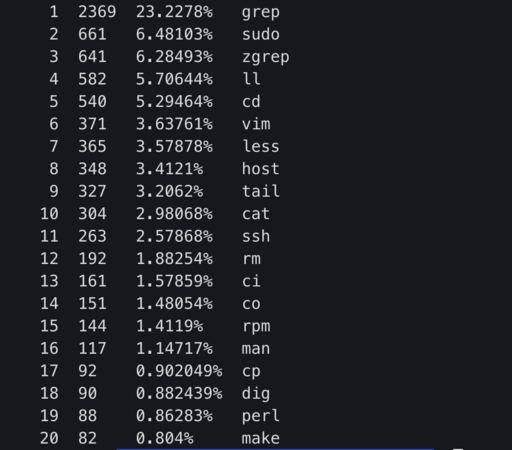

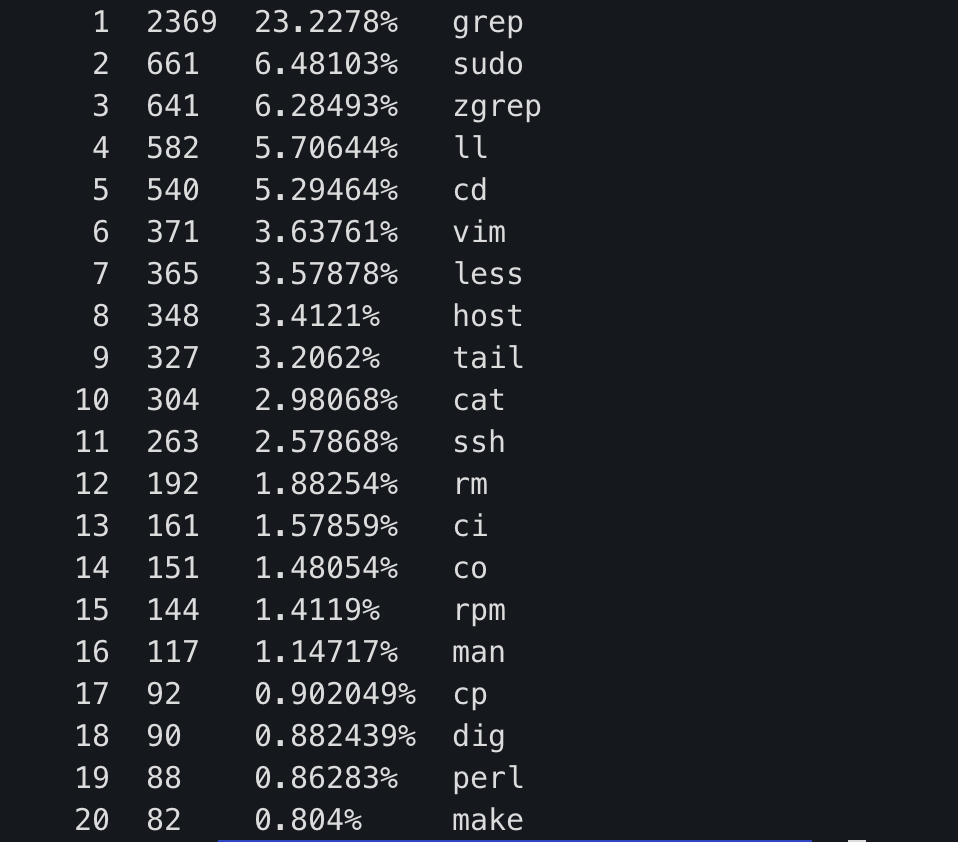

Nat Bennett · @nat
268 followers · 516 posts · Server ruby.socialAny thoughts on how to set up an ohmyzsh plugin that requires installing Python dependencies to function?
I have a set of Python scripts from a client dev that I want to get on my $PATH and have a mild preference for managing my shell env through ohmyzsh, where possible (so I can cleanly yank it out later)
I suspect the correctly answer here is "don't" (because command line tools that require installing scripting language packages are Morgoth's handiwork) but I live in hope.