
Michael Piotrowski · @true_mxp
485 followers · 732 posts · Server qoto.orgI found the problem discussed together with this similar, but probably unrelated issue:
https://github.com/vedang/pdf-tools/issues/112
According to the discussion, the culprit is #poppler, and the problem should go away with a newer version. I’ve just updated poppler to 23.01.0, we’ll see how it goes…
Michael Piotrowski · @true_mxp
481 followers · 709 posts · Server qoto.org
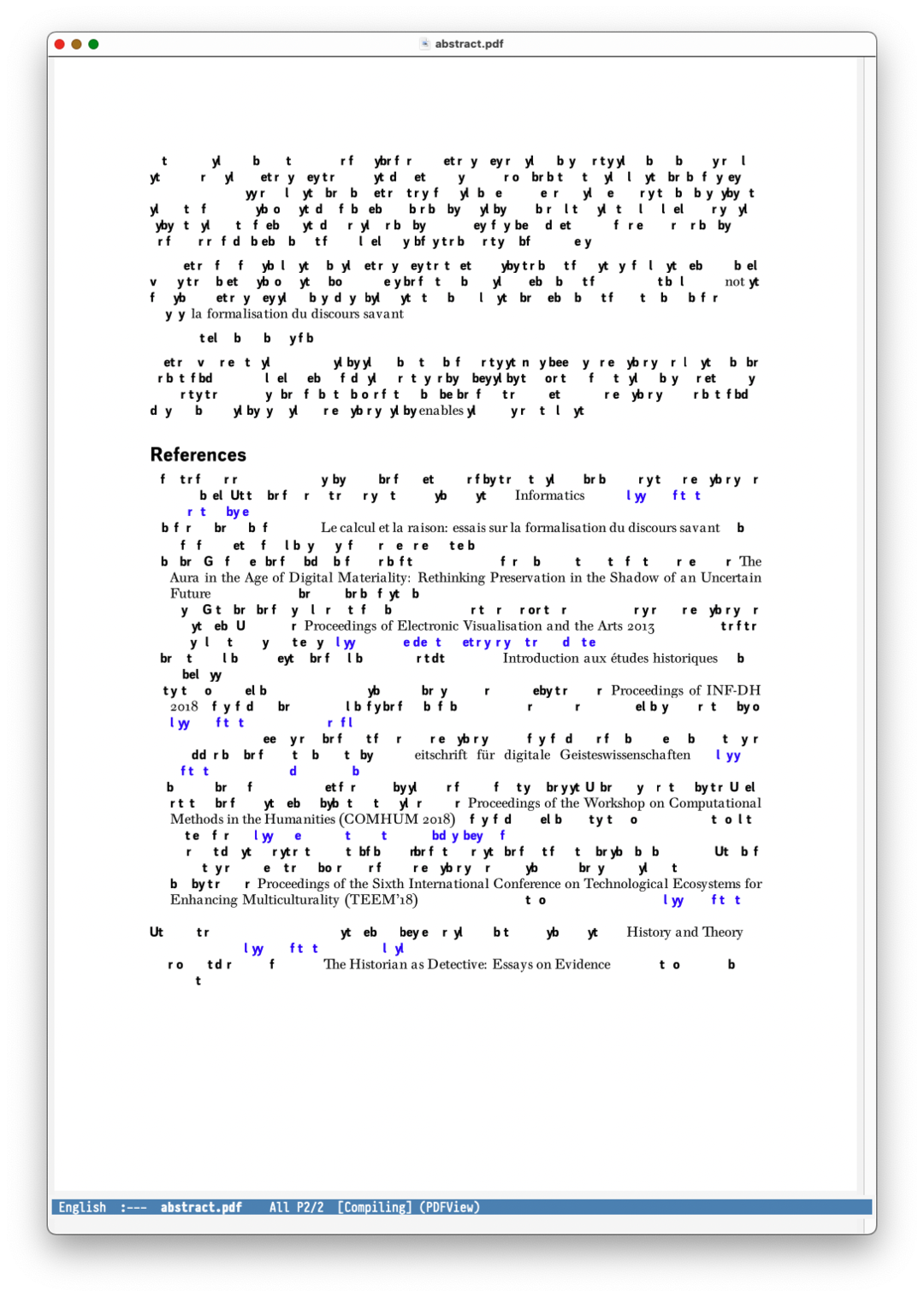
This is not a new problem, but I still haven’t figured out what is happening here: after a couple of refreshs, #Emacs #pdftools garbles the display. Restarting epdfinfo fixes it, so I guess that’s where the problem is, but as I’ve never seen this problem mentioned, I wonder whether it’s maybe a problem with my build rather than with epdfinfo…
Anybody else seeing this?

· @seolin654
0 followers · 52 posts · Server mastodon.social
Markus Lauber · @markks
38 followers · 27 posts · Server det.social
@juxtacognition I have used #RStats "#tabulizer" to extract tables from a #PDF (https://forum.knime.com/t/automate-pdf-reader-and-convert-data-to-excel-table-with-correct-column-mappings/26384/10?u=mlauber71) and "#pdftools" to extract text (https://forum.knime.com/t/unstructured-text-mining-from-pdf/48625/4?u=mlauber71). Maybe you can adapt this. Then there is a #KNIME node that uses "PDFBox" or another parser (https://kni.me/w/kjy6Q-3szxcH6716) - but I have not used it myself
#RStats #tabulizer #pdf #pdftools #KNIME

Akib Azmain Turja · @akib
49 followers · 343 posts · Server hostux.social@famubu @tallship For me, #Docview is fast enough, and bundled with #Emacs. There is usually 2-5 seconds delay to open a pdf. #pdftools doesn't have any delay and . But still, #Docview is more stable IMO. However, you'll need to install a few command line tool to use #Docview.
Akib Azmain Turja · @akib
49 followers · 343 posts · Server hostux.social
MDrights :slackware: :pine64: · @mdrights
439 followers · 1616 posts · Server fosstodon.orgToday’s takeaways: Tried didi’s #pdf tools (for parsing malicious pdf documents):
https://blog.didierstevens.com/programs/pdf-tools/
Fantastic. Along with #peepdf i am packaging them into my distro #antiS. Hmm may just tar them but not writing a slackbuild as they’re just python scripts.
#antis #pdf #peepdf #pdftools #forensic #liveos